


Kids Learn Letter Sounds
4.3178.00 Reviews
App Specs
- Version
- 2.5.1
- Updated On
- License
- $2.99
- Downloads
- 50,000+
- Developer
- Intellijoy Educational Games for Kids
- Categories
- Educational
- Platform
- Android
Screenshots
 Analysis by AppCompare
Learning letter sounds is one of those early skills that benefits from short, cheerful practice rather than long lessons. Kids Learn Letter Sounds takes that simple idea and turns it into a focused educational game for young children. I found it most useful as a small, repeatable activity: a child can sit down for a few minutes, listen to a sound, connect it with a letter, and try again without feeling as though they are doing formal homework.
The game comes from Intellijoy Educational Games for Kids, the developer behind the earlier Captain Cat alphabet title. This follow-up keeps its attention on phonics instead of trying to cover every part of reading at once. That narrow purpose is a strength, because parents can understand what the child is practicing, but it also means this is not a complete reading course. It works best as one piece of an early-literacy routine.
It is listed as an educational game for Everyone, costs $2.99, and has reached over 50 thousand installs. Its average rating is 4.3 from nearly a thousand ratings, with close to 180 written reviews. Those figures suggest a product with a real audience, while the relatively focused design explains why it appeals more to families looking for a specific skill than to people searching for a large collection of activities.
How I would use it in a normal learning routine
My preferred starting point is to treat the game as a sound lesson, not as a general entertainment app. I would introduce one child at a time, keep the device close enough for the child to hear clearly, and let the child respond without immediately correcting every mistake. The important connection is between the visual letter and the sound that belongs to it. If an adult supplies every answer, the child may finish the activity but get less useful practice.
A realistic everyday scenario would be a short session after breakfast or before another quiet activity. The child opens the game, listens carefully, attempts the answer, and repeats the troublesome letters once more. After that, I would close the game and point out the same sound in a word the child already knows. This last step matters: the app can provide a clean practice environment, but real reading begins when the sound is recognized outside the screen.
I would avoid turning the session into a test. Young children often need time to process a sound, especially when two letters feel similar. A calm pause is more productive than tapping quickly just to finish. The game is particularly suitable for children who enjoy responding to audio and visual prompts, or for parents who want a predictable activity that can be repeated without preparing worksheets.
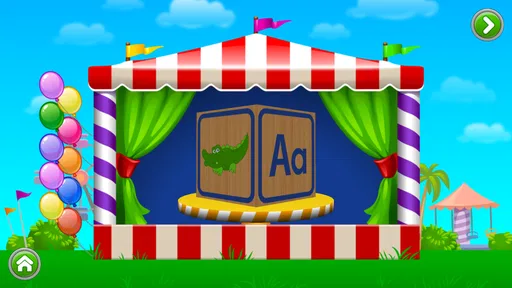
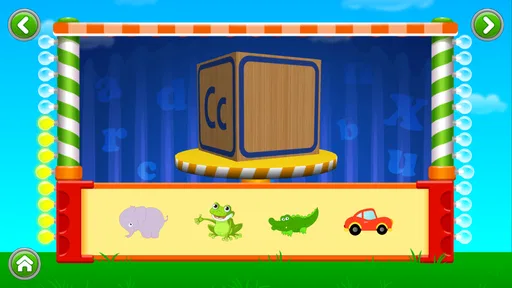
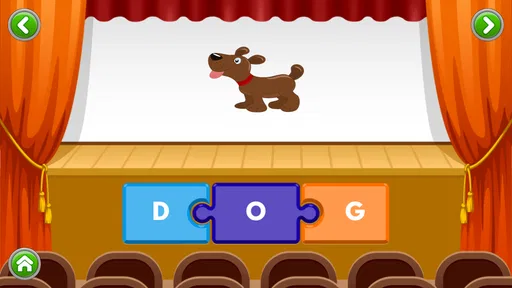
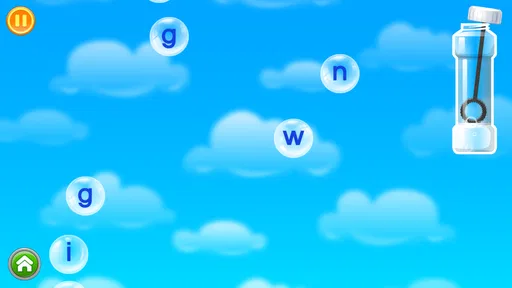
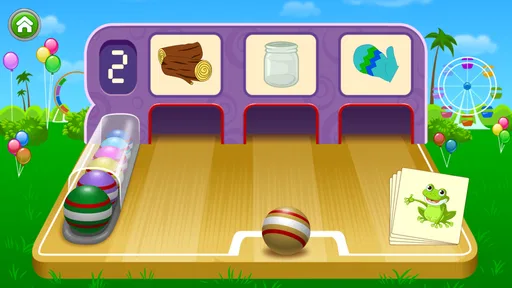
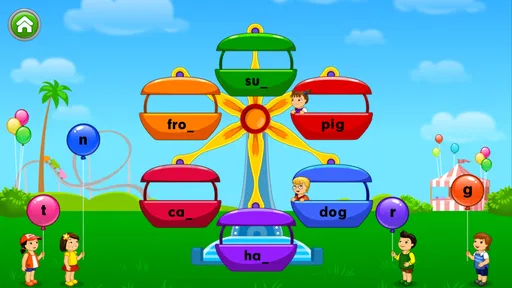
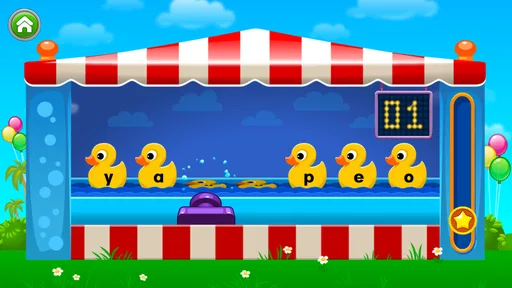
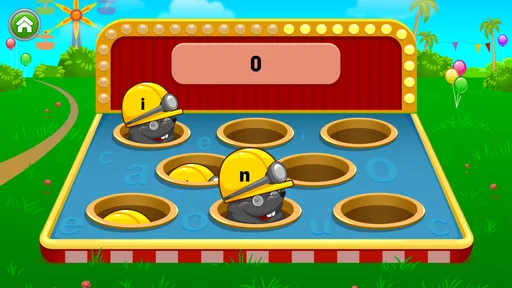
The basic workflow is easy to understand. The child sees a letter, hears its sound, and interacts with the lesson in a playful setting. That simplicity is valuable for first exposure because there are fewer distractions than in a broad literacy app packed with stories, tracing, spelling, songs, and unrelated mini-games. I would use it after a child has begun noticing letters but still needs help connecting their shapes to spoken sounds.
Worth Reading Before You Choose

EA SPORTS FC Mobile 26 Is a Bigger Football Game, but It Takes Time

Flipboard Shows What News Apps Must Do Beyond the Feed

Switching to Android Auto Means Rethinking Your Driving Routine

Google Calendar Makes a Crowded Week Easier to Manage

Ludo King Makes the Most of the Minutes Between Plans

Baby Panda World Brings Quick Play to Modern Phones, but Its Game Library Feels Busy
Parents should stay nearby during the first few sessions. Not because the game is difficult to operate, but because the adult can notice what kind of error is happening. A child may know the letter visually but confuse its sound, or may understand the sound while tapping too quickly. Watching those differences helps you decide whether to repeat the activity, say the sound aloud together, or move to an offline example.
Settings and preparation that make practice smoother
Before handing over the device, I would check the device volume and make sure the child can hear the spoken sounds clearly. This is more important here than in a game that depends mainly on animation. If the audio is too quiet, competing with television, or played through a poor speaker, the child may appear to be struggling with phonics when the real problem is simply unclear sound.
I would also check the device’s general environment. Notifications, other open apps, and a bright room with reflections can pull attention away from the letter task. These are not special controls inside the game, but they are practical settings around it that affect the quality of a short lesson. A simple setup gives the child a better chance to listen rather than tap randomly.
Because the game is designed for Everyone, it is appropriate to consider for a young learner, but the age label should not replace parental judgement. Children develop at different speeds. A child who is just beginning to recognize letters may need an adult to name the letter first, while another child may be ready to answer independently. I would adjust the amount of help rather than assume the same approach works for every learner.
One useful habit is to decide on the learning goal before opening the app. If today’s goal is listening, I would ask the child to repeat the sound aloud. If the goal is confidence, I would allow more time and celebrate careful attempts. If the child is tired, I would stop early instead of treating completion as the measure of success. This prevents the game from becoming a repetitive tapping exercise with little attention to pronunciation.
The current version is 2.5.1, and the game requires at least iOS 7.1. That makes device compatibility worth checking before purchase, especially if the app is intended for an older iPhone or iPad. The release history reaches back to March 25, 2011, so this is an established title rather than a newly launched experiment. I see that age as a mixed factor: it can mean a settled concept, but families expecting modern presentation should keep their expectations realistic.
Repeatable patterns that save time without rushing the child
Experienced use is less about finding a secret shortcut and more about creating a consistent pattern. I would begin with listening, ask the child to repeat the sound, and then ask for one familiar word containing it. That three-step sequence turns a screen response into a small speaking and recognition exercise. It also reveals whether the child has memorized a button position or genuinely understands the sound.
Another effective pattern is to separate new practice from review. Rather than spending a long session moving through everything, I would revisit a few letters the child missed previously and then allow a short fresh challenge. This makes progress easier to observe. It also reduces the common problem of a child remembering the most recent prompt while forgetting sounds practiced earlier.
If a child repeatedly confuses two sounds, I would not force both into the same rapid session. I would practice one, use it in a spoken word, and return to the game later. The app is useful for presenting the sound consistently, but the parent’s choice of examples can make the distinction clearer. This is one of the places where the game works better alongside conversation than on its own.
I would keep the device touch surface clean and position it so the child can see and hear without leaning over it. That may sound minor, but young users often tap with enthusiasm and lose track of the prompt. A stable position makes the activity feel more like a lesson and less like a race. It also gives the adult a better view of whether the child is listening before responding.
For children who become frustrated by mistakes, I would use a “listen, try, repeat” rule. The first attempt is not treated as a final judgement. The child listens again, says the sound, and tries once more. This approach uses the game’s repeatability without adding pressure. It is especially helpful for children who know some letters but are not yet comfortable speaking their answers aloud.
I would also avoid using the game as a reward for sitting still for a long time. Its value comes from focused practice, not duration. A brief session with careful listening can be more useful than leaving the child with the app until attention disappears. Parents who want a large play session, animated stories, or a broad set of reading exercises will probably find this title too narrow.
Where the focused design reaches its limits
The main limitation is scope. This is a letter-sound game, so it should not be expected to teach the full sequence of early reading skills. It does not replace shared books, conversation, handwriting practice, word building, or a teacher’s feedback. If your child is already reading simple words confidently, the activity may feel basic rather than challenging.
It is also not the best choice for every learning style. A child who learns through movement, physical letter cards, or drawing may gain more from an offline activity. Another child may need stories and meaningful words to stay interested. In those cases, a broader literacy app or a book-based routine can offer more context. I would choose this game when the specific need is sound recognition, not simply because it is labeled educational.
The older release date may affect expectations about interface polish and device support. I would not buy it expecting the visual depth or extensive personalization found in newer learning platforms. Its appeal is the directness of the exercise. That trade-off is reasonable for a parent who wants a compact phonics tool, but less attractive for someone who wants progress dashboards, a large curriculum, or a highly customizable learning path.
The paid price is another practical consideration. At $2.99, it is a small one-time purchase rather than a free download, so the decision depends on whether your child actually needs this narrow practice. I prefer paying for a focused tool when it fits a routine, but I would not recommend buying it merely to fill a device with educational apps. A child who avoids audio-based repetition may not get enough value from it.
Parents should also remember that correct tapping is not the same as clear pronunciation. I would listen to the child’s spoken response and occasionally model the sound naturally, without exaggerating it into an unnatural performance. The game can prompt practice, but an adult remains better at hearing subtle confusion and choosing a useful example word.
Who will benefit most from this phonics game
I think it is a good fit for a preschool or early-learning child who is beginning to connect printed letters with their sounds. It is also useful for families who want a short activity for travel, waiting rooms, or a quiet break, provided the device audio is clear and an adult can introduce the routine. The focused design makes it less overwhelming than a large reading suite.
It may also suit a child who needs repetition without feeling that the same worksheet is being assigned again. The game format gives the practice a little energy, while the narrow lesson keeps the learning target visible. For a child who responds well to hearing and repeating, that balance can make regular practice easier to maintain.
I would skip it if you need a complete curriculum, detailed parent reporting, advanced reading comprehension, or substantial writing instruction. I would also look elsewhere if your child is already beyond basic letter sounds. In that situation, phonics stories, word-building activities, or leveled reading may offer a better next step. Choosing the right difficulty matters more than choosing the most familiar developer.
Compared with flashcards, the game has the advantage of consistent audio and a more inviting response loop. Flashcards, however, are easier to adapt: a parent can change the examples, mix in handwriting, and focus on exactly the letters causing trouble. Compared with a broad literacy app, this title is simpler and more targeted, but it offers less variety and less context. I would use flashcards for flexible review, a broader app for progression, and this game for concentrated sound practice.
My verdict after weighing the routine
The best reason to choose this game is its narrow, repeatable phonics focus. It gives a young child a manageable place to practice hearing and responding to letter sounds, and it can fit naturally into a short daily habit. The developer’s long-running title is not trying to be an entire school curriculum, which is precisely why it can be useful when a family has identified one early reading skill that needs attention.
My recommendation comes with a condition: use it actively rather than parking the child in front of it. Sit nearby at first, listen to the answers, repeat difficult sounds, and connect the screen activity with words in ordinary conversation. That approach turns a simple game into a more meaningful learning tool. Without that follow-through, the child may enjoy the interaction while making less progress than the colorful format suggests.
For $2.99, I see it as a reasonable specialist purchase for a child at the beginning of phonics learning, particularly if the device meets the minimum requirement and the child enjoys audio-led activities. The 4.3 average and more than 50 thousand installs show that it has found a dependable audience, but they should not be treated as proof that it suits every learner. Its value depends on fit, repetition, and adult guidance.
In my experience, I would recommend Kids Learn Letter Sounds to a friend who wants a straightforward way to reinforce letter sounds for a young child, not to someone looking for a complete reading program. Start with short sessions, keep the listening environment quiet, and use spoken words away from the screen to confirm the learning. Used that way, it is a focused and approachable addition to early literacy practice, with clear limits that are easy to plan around.
Pros
- Clear phonics practice helps children connect letters with their sounds.
- Simple activities are easy for young learners to understand independently.
- Colorful visuals and friendly audio can keep early learners engaged.
- Useful for reinforcing lessons at home or during short practice sessions.
- Suitable for beginners developing early reading and pronunciation skills.
Cons
- Some children may find the activities repetitive after extended play.
- Learning content may be too basic for children who already read confidently.
- Audio quality and pronunciation may vary by device or language setting.
- Limited challenge options can reduce long-term appeal for advanced learners.
- Parents may need to supervise progress and explain unfamiliar sounds.
FAQs for Kids Learn Letter Sounds
What is Kids Learn Letter Sounds?
Kids Learn Letter Sounds is an early-learning app designed to help young children recognize letters and connect them with their corresponding sounds. Through colorful visuals, spoken examples, and simple interactive activities, children can practice basic phonics at their own pace. It is intended as an introductory learning tool rather than a complete reading course.
What age group is Kids Learn Letter Sounds suitable for?
The app is generally suitable for preschool and early kindergarten children who are beginning to learn the alphabet and basic phonics. Younger children may need an adult to guide them through the activities, while children who already know letter sounds may find the content useful for review. Parents should choose activities according to the child’s ability.
Does Kids Learn Letter Sounds require an internet connection?
Many of the core learning activities may be available after installation, but internet requirements can vary depending on the app version, device, and features being used. Downloading the app and receiving updates normally requires a connection. It is a good idea to open the app once online and check whether the lessons work offline before giving it to a child during travel.
Is Kids Learn Letter Sounds safe and easy for children to use?
The app is designed with young learners in mind, using simple controls, bright illustrations, and audio guidance instead of complicated menus. However, parents should still review the app’s permissions, advertisements, purchases, and privacy information before use. Adult supervision is recommended, especially for younger children, so they can receive help and avoid accidentally opening unrelated content.
Can Kids Learn Letter Sounds replace preschool or reading instruction?
No. Kids Learn Letter Sounds works best as a supplementary practice tool, not as a replacement for a teacher, parent, or structured literacy program. It can help children repeat letter-sound associations and build confidence, but successful reading development also requires listening, speaking, vocabulary, handwriting, and reading practice. Short, regular sessions with adult encouragement usually provide the best results.


